
Shift handover app: The shift ends. The unfinished work doesn't disappear.
Work gets lost between a text, a whiteboard and a shift change. PortalBase puts every assignment in one list, with who has it, when it's due and what closes it. Unfinished work can carry to the next shift's list.
Also calledShift logs, Handover, Routines, Pooled tasks
Built from
The products this solution puts together.
The real screens
Hand out the work and see where it stands.
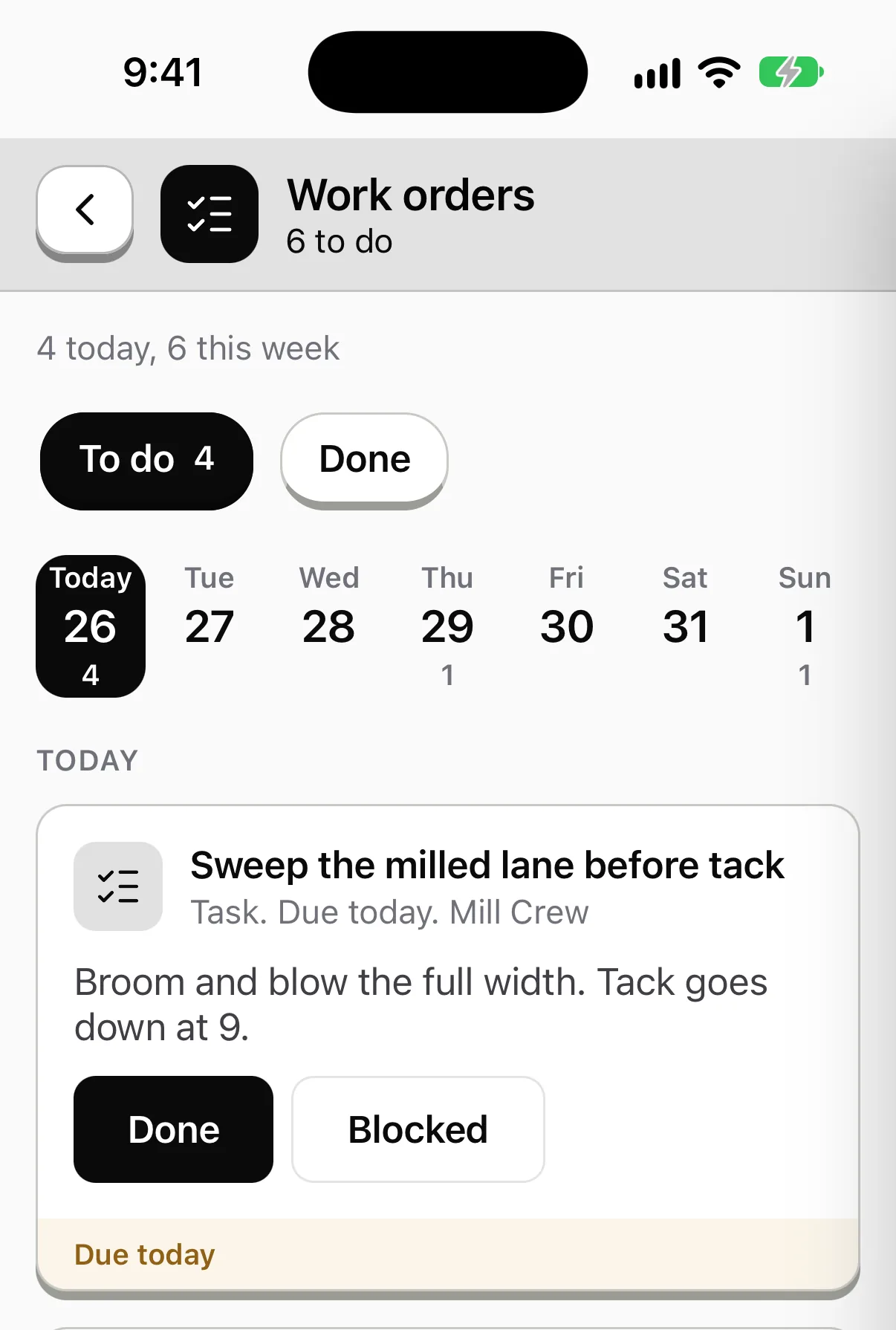
Give a task, form, inspection or training to a person, a crew or a role, with a due date. What's open, late or waiting for a sign-off sits on one screen.

Set it once and it hands itself out.
A weekly yard walk, a tailgate talk every shift, a refresher every year. Each schedule says what it hands out, to whom and how often.

See every run, step by step.
Each run of each workflow, where it is, who started it and what it's waiting on.

A running log for every area.
What needs you comes first. Each shift signs off, and the next one picks up what's still open.

Sample data from our own demo company.
What the crew sees
The same app, pointed at this job.
Sample company and data, made up for the picture.
The problem on the ground
The work gets handed off. The details don't.
Shift change. Nights leaves a leaking fitting and a note on a pallet. Days finds out at 9.
Who's got it. Three people each assume someone else is on the sweep.
Stuck work. A job stalls for lack of a part. Nobody says so until the next morning.
One list. Each assignment has an owner or a pool, a due time and a state. Blocked is a state, with a reason and a photo.
How work gets assigned
Four ways work lands on a phone
By a person. A foreman assigns a task from a phone, offline if needed.
By a schedule. Daily, weekly, per shift or annual, by role, site and crew.
By a rule. A failed step or an overdue item can create the next task.
By an outside system. A work order or an HR event can create one. It has the same shape as any other.
Read more →Pools and routines
Not everything has a name on it
- Pooled tasks. "Any operator at this yard, first to claim." It stays open until someone takes it.
- Carry-over. Unfinished work at the end of a shift can roll into the next shift's pool, if you want it to.
- Routines. Every week the foreman on each site does the same six tasks. The SOP is attached. Supervisors see who has and hasn't done each piece.
- Windows. Due can be a time window, like before the first truck leaves, 5 to 7am.
A shift handover
What the incoming foreman sees
Step 1
Open the area
Pick it or scan its sign. One screen shows what the last shift left.
Step 2
Read the items
Each one shows who found it, a photo and whether it's fixed.
Step 3
Take over
Tap Acknowledge. Hand an open item to someone in one tap.
Step 4
Walk and add
Add a photo, a line or a reading. Everyone on the area sees it, offline too.
Common questions
- What closes a task?
- Whatever the template says: nothing, a photo, a form, an inspection, a signature or a supervisor's verification.
- What does leadership see?
- Done on time, done late, blocked and why, and reopened work, by site and crew.
- Does it replace scheduling and time clocks?
- No. Payroll, scheduling and time clocks are not part of PortalBase. This is for the work itself.
Show us how your shift changes hands
Tell us what gets lost between nights and days. We'll show you what the handover screen would carry.
Book a walkthrough