

Safety compliance software: Be able to show it was done. Not just say it was.
A claim, an injury or an inspector asks what happened and who knew what. PortalBase keeps the signed forms, the certs and the fixes in records you can pull up and export.
Also calledSafety compliance, EHS, Audit readiness, OSHA recordkeeping
Built from
The products this solution puts together.
The real screens
Every problem gets an owner and a date.
A hazard or a bad result turns into a corrective action with who fixes it, by when, and the photos and signature that close it.

Build the steps as a flow.
Steps run down the page, and a decision splits into its answers side by side. Add a step with the plus, test run it, then publish. Start from one of five, or from blank.

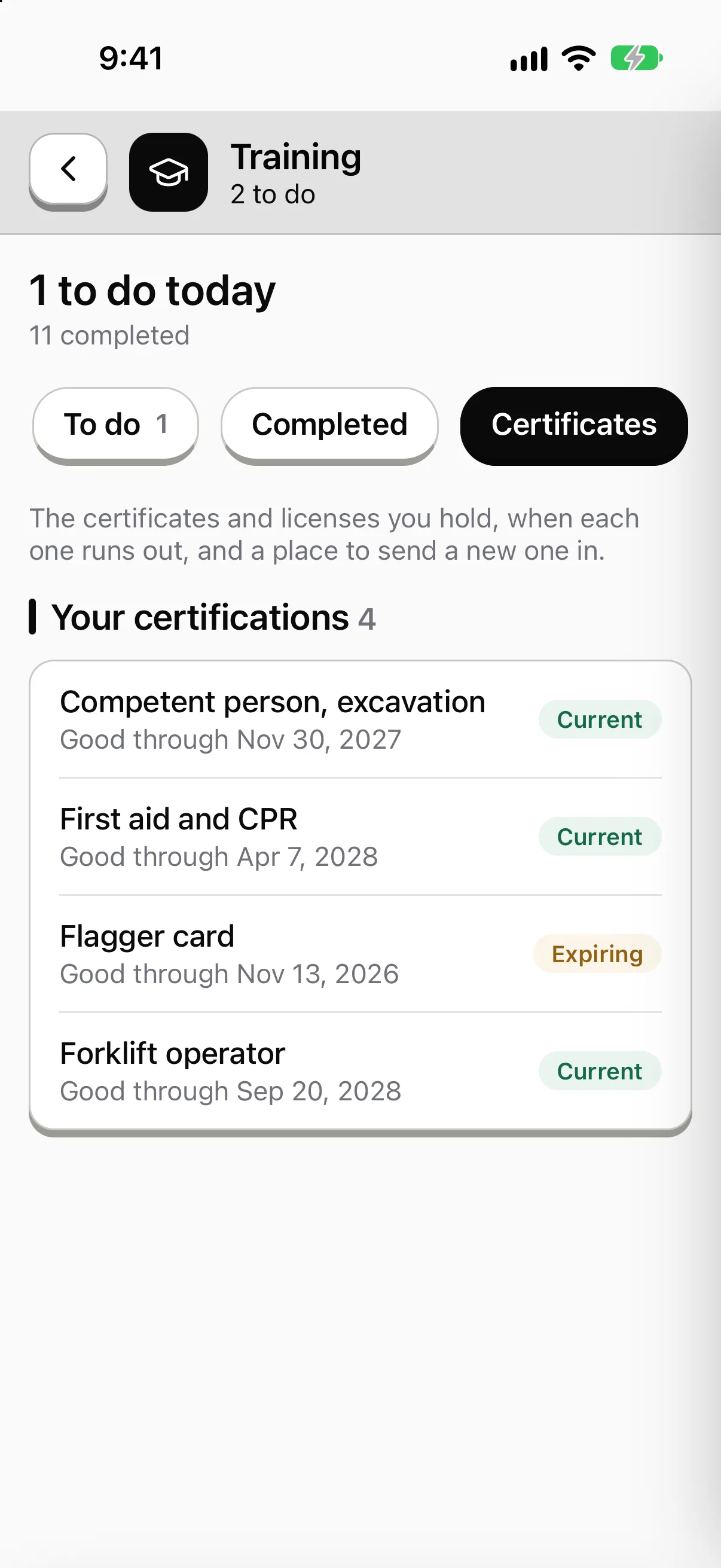
Know who holds what, and what's about to run out.
Every certification shows how many people hold it, how many are expiring and how many have run out. Each person carries theirs on the phone.

Every number opens the records behind it.
Who signed in, who finished, what's late, by site, crew or role. Click any number to see the records, and export them when an auditor asks.

Sample data from our own demo company.
What the crew sees
The same app, pointed at this job.
Sample company and data, made up for the picture.
The problem on the ground
The paper exists. Finding it is the job.
Clipboards. The toolbox talk is signed on a sheet in a truck. The sheet is in a binder at the yard.
Texts. The hazard report is a photo in someone's messages. The fix is a call nobody wrote down.
Cert gaps. A forklift ticket ran out last month. You find out when someone's already on the machine.
One record. PortalBase puts who, when, where, what was found and what was done on the same page, offline or not.
What gets recorded
Each safety step leaves a record
Signed forms. Job hazard analyses, toolbox talks and site audits, signed on the phone. A submission keeps the form version it was filled on.
Read more →Inspections. Each step gets Pass, Concern or Fail with a photo or video attached. The record notes who, when and where.
Read more →Certifications. Licenses and tickets are stored per worker with an expiry date. The worker and the supervisor get an alert before one lapses.
Read more →Corrective actions. A failed step opens a fix with an owner and a due date. It closes with evidence and a sign-off.
Read more →How a hazard gets handled
From a report to a closed fix
Step 1
Report it
A worker fills the hazard form on the phone. A QR code on the gate lets a subcontractor do it with no login.
Step 2
Route it
A rule you set sends it to the right person at that site. It can open a corrective action on its own.
Step 3
Fix it
The owner attaches a photo of the fix and a supervisor signs to close it.
Step 4
See it
The safety lead sees what's still open and how long it's been open, by site.
Incidents and OSHA records
Incident reports and the OSHA logs.
Incident and near-miss reports, with the investigation attached, feed the OSHA 300 log, the 300A summary and the 301, kept in Reports by establishment.
- You decide what's recordable. The software never makes that call.
- Incident reports are live. An incident report is a form kind, kept at least five years. Corrective actions follow from it.
- The 300, 300A and 301 are in Reports. Built from your incident reports, with PDFs on OSHA's current forms and CSV files for OSHA's online filing. You download the CSV and upload it yourself. PortalBase doesn't file with OSHA for you.
What this is and isn't
- Does PortalBase make us compliant?
- No. It records and organizes the evidence. Whether your program meets a rule is still your call, and your auditor's. It doesn't guarantee an audit outcome.
- Can a record be changed after it's submitted?
- Submitted records are append-only. A correction is a new version and the original stays. Every record change and admin action is in the audit log.
- Who can see the records?
- Permissions are set by role and by where someone sits in your company, and enforced on the server. Auditors and executives can get read-only access.
- Can we take our records with us?
- Yes. A company can export everything, records, media and history, in open formats, on its own, any time. Any inspection record also exports to PDF.
Walk us through your safety program
Tell us which records you chase every week. We'll show you how PortalBase would hold them.
Book a walkthrough