
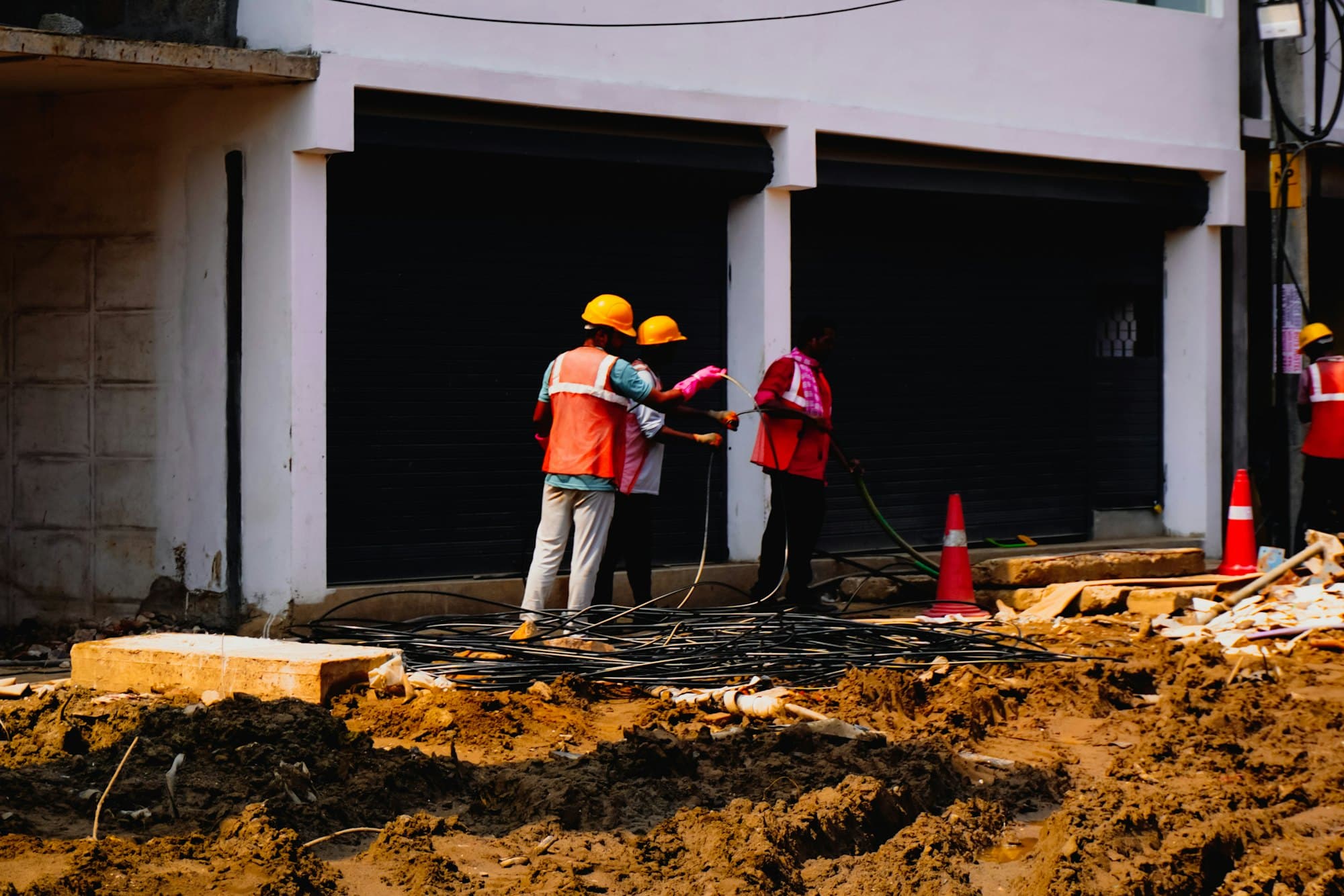
Incident reporting software: When something goes wrong, the record is already started.
A worker reports a near miss from the phone, offline, with photos. A corrective action gets an owner and a due date. A certification gets an alert before it lapses. PortalBase records and organizes the evidence. It doesn't decide what's compliant.
Also calledSafety management, EHS software, Near-miss reporting, Incident records, Corrective actions
Used in
The solutions that put this product to work.
The real screens
Every problem gets an owner and a date.
A hazard or a bad result turns into a corrective action with who fixes it, by when, and the photos and signature that close it.

Build the steps as a flow.
Steps run down the page, and a decision splits into its answers side by side. Add a step with the plus, test run it, then publish. Start from one of five, or from blank.

Describe a workflow and it draws the flow.
Say what should happen when an inspection fails and the steps appear in the builder, marked as AI-made. You test run it, then publish.
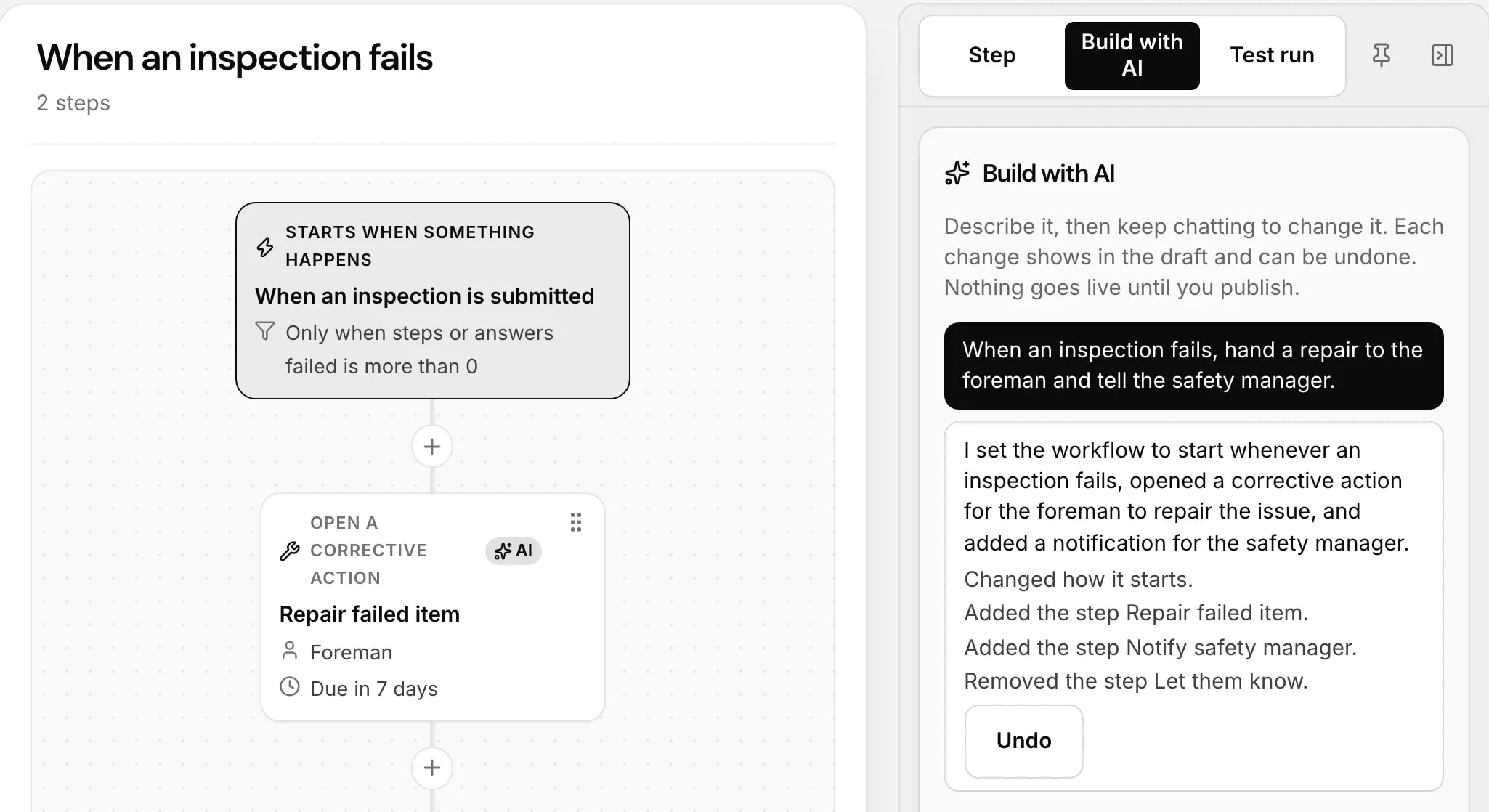
Start it when something happens.
A workflow can start when an inspection is submitted, work goes overdue, a training is finished, someone is added, an incident report comes in, a meter passes a number, or a certification is about to run out. Here, a certification that ran out.

Know who holds what, and what's about to run out.
Every certification shows how many people hold it, how many are expiring and how many have run out. Each person carries theirs on the phone.

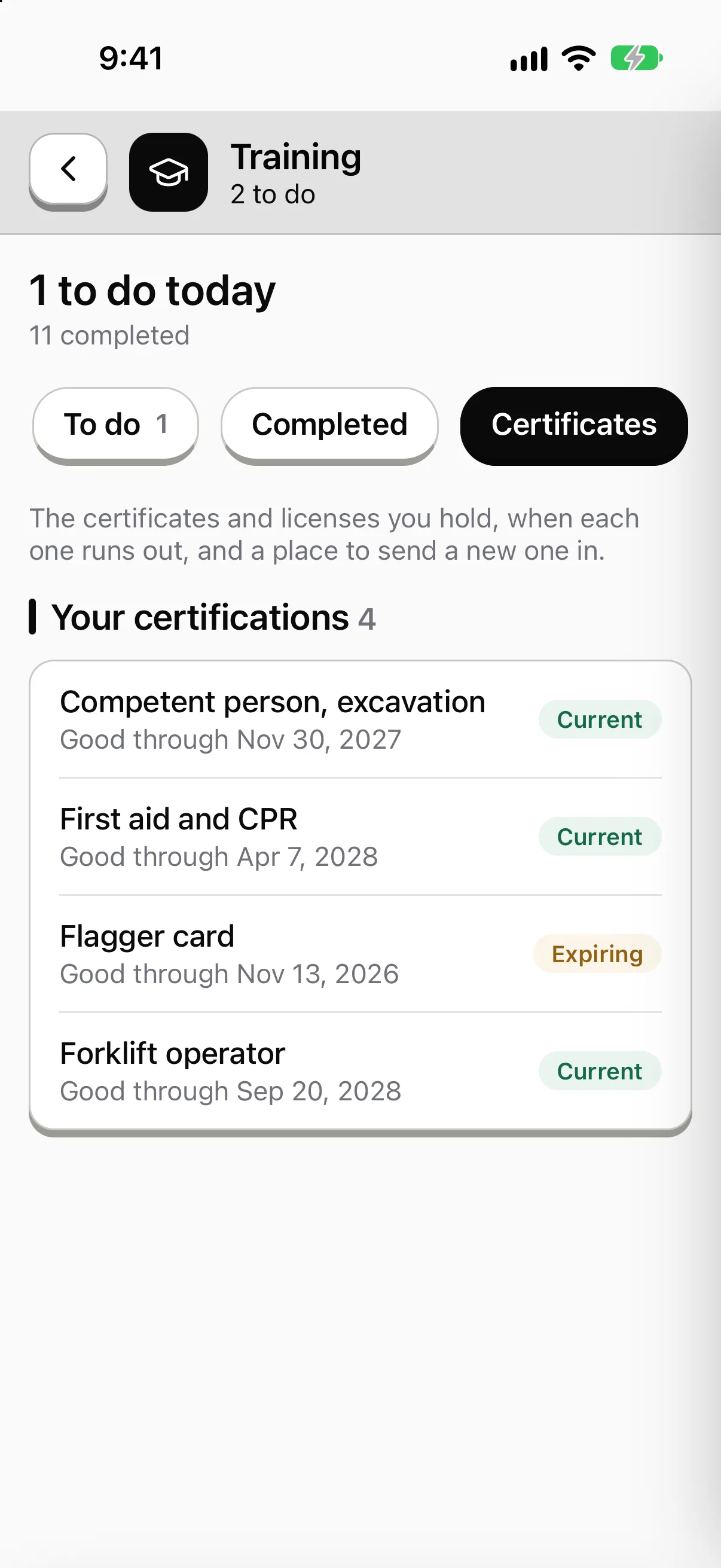
Sample data from our own demo company.
In the app
An incident report, from the phone, in a minute.
- 01Anyone on the crew can file one from the floor.
- 02Corrective actions get an owner and a due date.
- 03Certifications keep the issuer and the expiry date.
Near miss report
Anything that almost went wrong
Sample company and data, made up for the picture. Tap around.
Incidents
From the phone, on site.
Reports. Incidents and near misses with photos, video, the people involved and witnesses.
Investigation. Notes, statements, root cause and corrective actions live on the incident.
Your call on recordable. Your company marks an incident recordable. The software never makes that call.
OSHA records
Incident reports and the OSHA logs.
Incident reports. A form kind, kept at least five years, with corrective actions attached.
300 log and 300A. In Reports, by establishment, built from your incident reports. You decide which cases are recordable and certify the year. The summary carries the establishment's EIN, and privacy cases keep the employee's name off the log.
301 and PDFs. A 301 for each case, and PDFs of the 300, the 300A, the 301 and the privacy case list on OSHA's current forms. Check them before you post or file.
Files for OSHA's online filing. CSV files for OSHA's Injury Tracking Application. You download the CSV and upload it yourself. PortalBase doesn't file with OSHA for you, and your company is responsible for what it files.
Certifications
Who's current before you assign the work.
01
Stored per worker
A photo or PDF, with issuer, issue date and expiry.
02
Expiry alerts
To the worker and the supervisor, at intervals your company sets.
03
Show it at the gate
A worker can pull up their own certificates on the phone, offline.
Corrective actions and workflows
When this happens, do that.
Admins build rules in Setup. When something happens, if a condition holds, then do things. Every run is logged and visible.
Step 1
When
A step fails. An answer matches. An assignment goes overdue. A certification nears expiry. An asset changes state.
Step 2
If
A condition you set holds.
Step 3
Then
Create a task for a person, a role at a site or a pool. Open a corrective action. Pull an asset from service. Send a push, text or email. Escalate after a delay.
Step 4
Close it
A corrective action has an owner, a due date, evidence of the fix and a sign-off. It's always linked to what caused it.
Questions
- Does PortalBase make us OSHA compliant?
- No. It records and organizes the evidence your company produces. It doesn't guarantee compliance and it doesn't tell you what's recordable.
- What's included?
- Incident reports, certifications, corrective actions and workflows. An incident report is a form kind, kept at least five years. The OSHA 300 log, the 300A summary and the 301 are in Reports, with PDFs on OSHA's current forms and CSV files for OSHA's online filing. You download the CSV and upload it to OSHA yourself.
- Can a record be edited after it's submitted?
- Submitted records are append-only. A correction is a new version and the original stays.
- Who sees the audit trail?
- Your company's admins see an audit log of every admin action and every record change.
Walk us through your last near miss.
Tell us how it got reported, who fixed it and where the paper ended up.
Book a walkthrough