

Construction safety software: The JSA gets filled out before the work, not after the walkthrough.
PortalBase puts the pre-task plan, the toolbox talk, the scaffold check and the daily report on the foreman's phone. They work in the basement, on the roof and out at the far end of the job. Everything saves on the phone and syncs when signal comes back.
The real screens
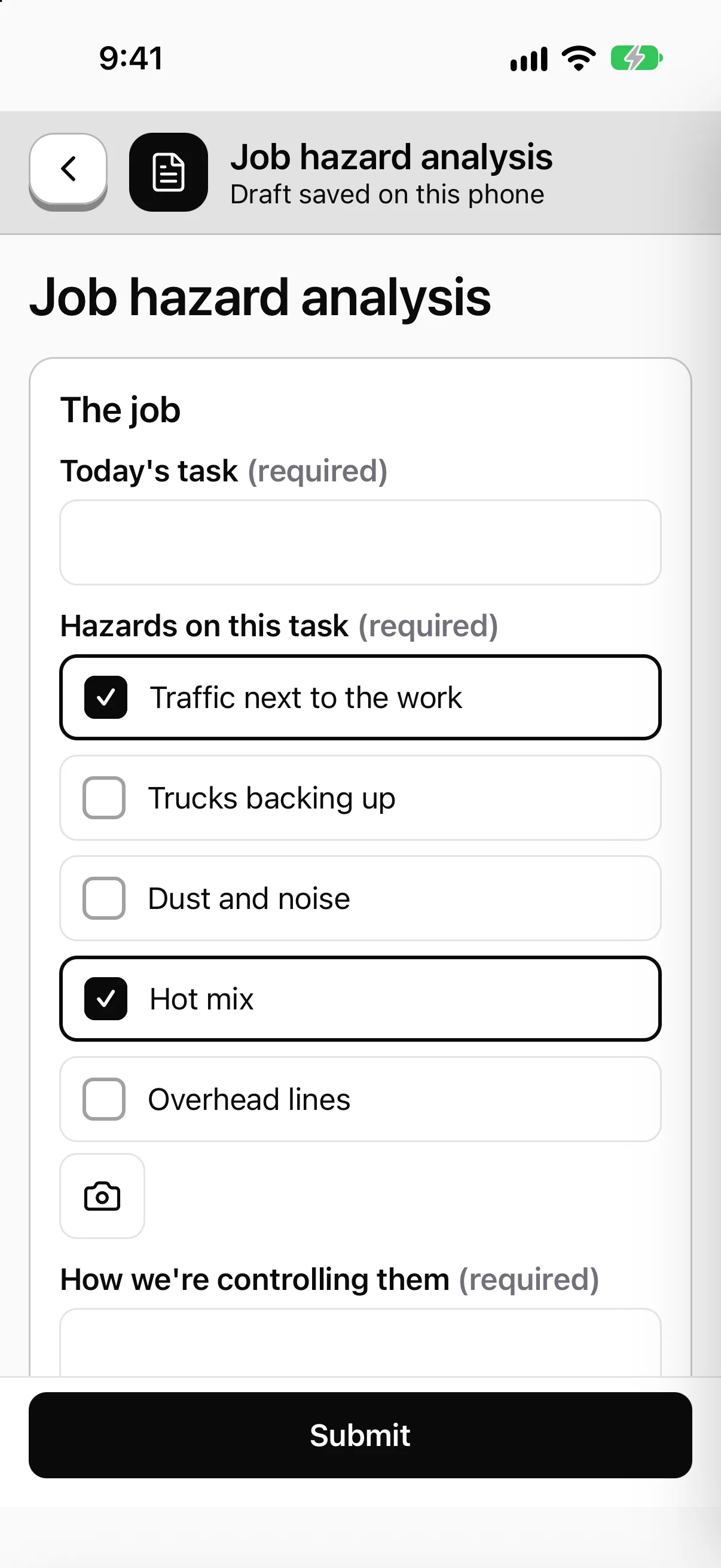
The pre-task plan, built once and filled out every morning.
Build the JSA with the questions you use. The foreman fills it out on the phone with a photo and a signature, with no signal if that's the job, and it sends when signal comes back.

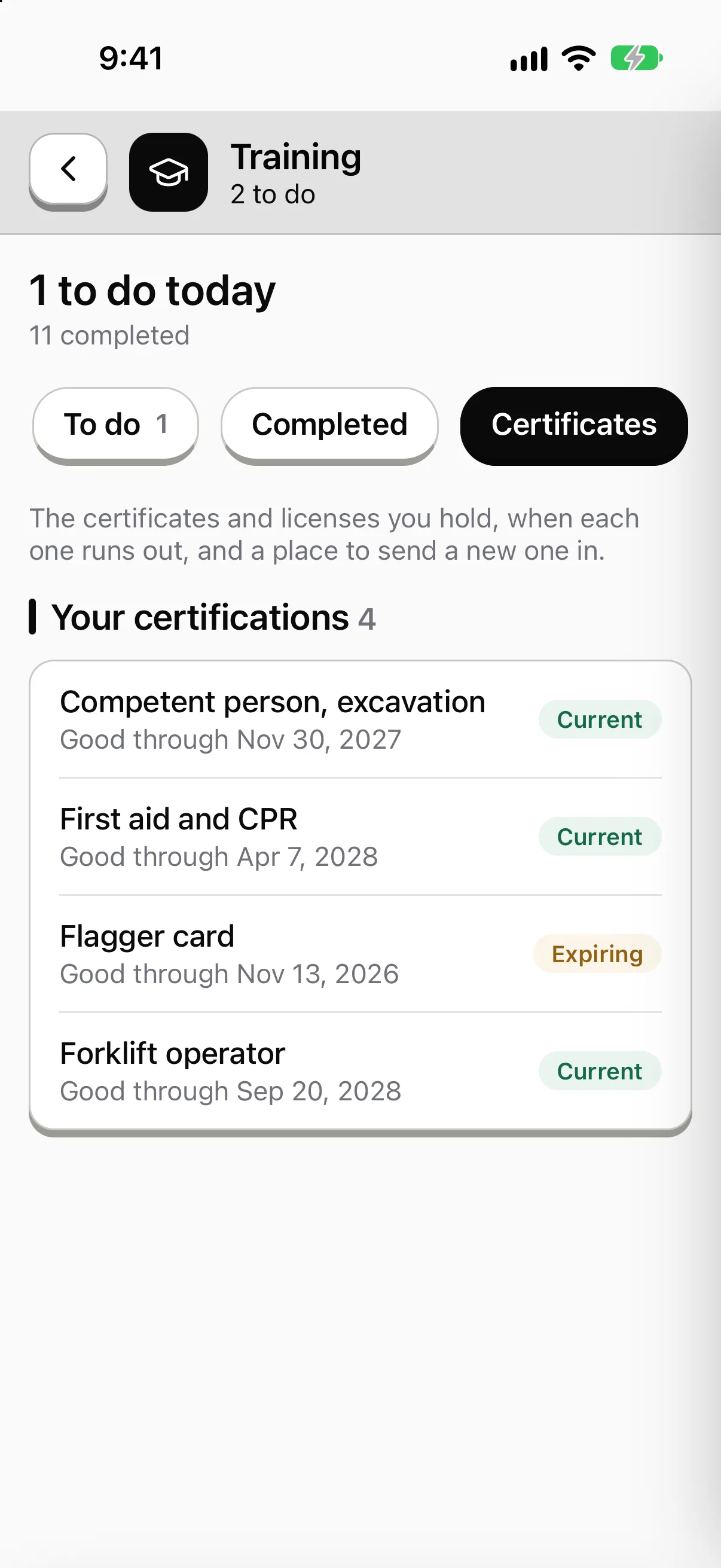
Who holds which ticket, and which one runs out next.
Operator cards, flagger cards, fall protection. See who holds each, who expires within 30 days and who has run out. Each person carries theirs on the phone.

A failed check becomes a job with an owner.
Mark a step Fail and a corrective action opens with who fixes it and by when. It stays open until the photos and the signature close it.

Sample data from our own demo company.
In the app
What a construction crew opens first.
Today’s tasks, the training that’s due, the checks and the forms. The tiles and the work are set up for Tallmark Builders, a made-up company. Yours would be set up for your crews.
Try it yourself Tallmark Builders

Carla Mendez
Foreman. Medical office build
Sample company and data, made up for the picture. Tap around.
What gets checked
The work on a job that somebody has to prove was done right
Scaffold and ladder checks. A step-by-step template with a photo or video where you want one. Scan the QR code on the scaffold and the right checklist opens.
Read more →Excavation and trench walks. The competent person walks it, marks each step Pass, Concern or Fail, and signs. A Fail opens a corrective action with an owner.
Read more →Lift and rigging checks. Slings, shackles, the rigging gear on the truck. Each piece is an asset with its own history of checks and repairs.
Read more →Flagger and traffic control setup. A flagger gets four tiles. Today's task, the setup check, the toolbox talk to sign and a way to report a problem.
Read more →The paperwork
What your foremen fill out today
01
JSA. One form, a version per job. Add the hazard and the control, attach the procedure to the question it belongs to, and collect signatures from the whole crew.
02
Toolbox talk. Pick the topic, record who was there, get signatures on a phone. Weekly talks assign themselves to every foreman.
03
Daily report. Crew count, hours, weather, photos, delays. Calculations run in code, so the totals add up.
04
Punch list. Each item is an assignment with an owner, a due date and a photo of the fix. Blocked items carry a reason.
Signal and crew
Jobsites don't have bars. Subs don't have your email.
On the jobsite
Slab level, stairwells, a trench, a new build with no network yet. The forms, courses and checklists are already on the phone. Photos and video upload later, in the background, and pick up where they stopped.
On the crew
Your own people, a sub's laborers, a day hire. Sign them in by text code, by employee ID and PIN, or by QR badge on a shared tablet. Each record carries the person who did the work, not the device.
At the gate
Visitors and subs scan a QR code and fill out the sign-in or hazard form with no login. If you mark the form anonymous, it collects no name and no device ID.
A day on one job
From the trailer to the punch list
Step 1
Before the first truck.
The foreman opens Today. The pre-task plan and the toolbox talk are due before 7am.
Step 2
On the work.
Scaffold check, trench walk, lift plan. Fails open a corrective action and notify the super.
Step 3
End of day.
Daily report goes in from the phone. Open items stay in the job's log for tomorrow's crew.
Step 4
In the office.
The safety lead sees which jobs filled out their paperwork and which didn't, then opens any record behind the number.
Straight answers
- Can a sub's crew use it without a company email?
- Yes. Crews without email sign in by text code, by employee ID and PIN, or by QR badge on a shared device. The company picks which.
- Does it replace hands-on training for a lift or a trench?
- No. Courses and skill checks record what was taught and shown. Where the work needs hands-on training in person, that still happens in person.
- Does it make a job compliant?
- No. It records and organizes the evidence: who, when, where, what was checked. Your rules and the rules of the bodies that apply to you still decide what compliant means.
Free tools and talks for this field
Free tool
Forklift pre-use checklist
A daily check for forklifts and powered industrial trucks
Free tool
Vehicle pre-trip checklist
A walkaround and in-cab check before a truck leaves the yard
Free tool
Aerial lift inspection checklist
A pre-use check for boom lifts, scissor lifts and bucket trucks
Free tool
LTIR calculator
Lost time injury rate and severity rate, with the formula shown
Toolbox talk
Slips, trips and falls
Slips, trips and falls toolbox talk. Check the path, clear what's in it, and report wet spots, loose cords and bad footing.
Toolbox talk
Ladder safety
Ladder safety toolbox talk for crews. Pick the right ladder, inspect it, set it up on solid ground and keep three points of contact every time you climb.
Guide
Frontline platform buyer's guide
Frontline platform buyer's guide: what to ask vendors about offline use, sign-in, inspections, training, security and cost, with red flags to watch.
Tell us how your jobs run.
Send us your JSA and your daily report. We'll show you what they look like on a foreman's phone.
Book a walkthrough