
Digital forms app: The paper stack, on a phone, with no signal needed.
Build the job hazard analysis, the daily report and the toolbox talk once. Crews fill them out in the field. A running log for each area keeps the shift's findings in one place, and the handover carries what's still open to the next shift.
Also calledForm builder, Digital forms, Daily logs, Shift handover, Checklists
Used in
The solutions that put this product to work.
The real screens
Build the form your crew already fills in.
Every question the way you'd ask it, with photos, signatures and a checklist where you need them. It works on the phone with no signal and sends when it can.

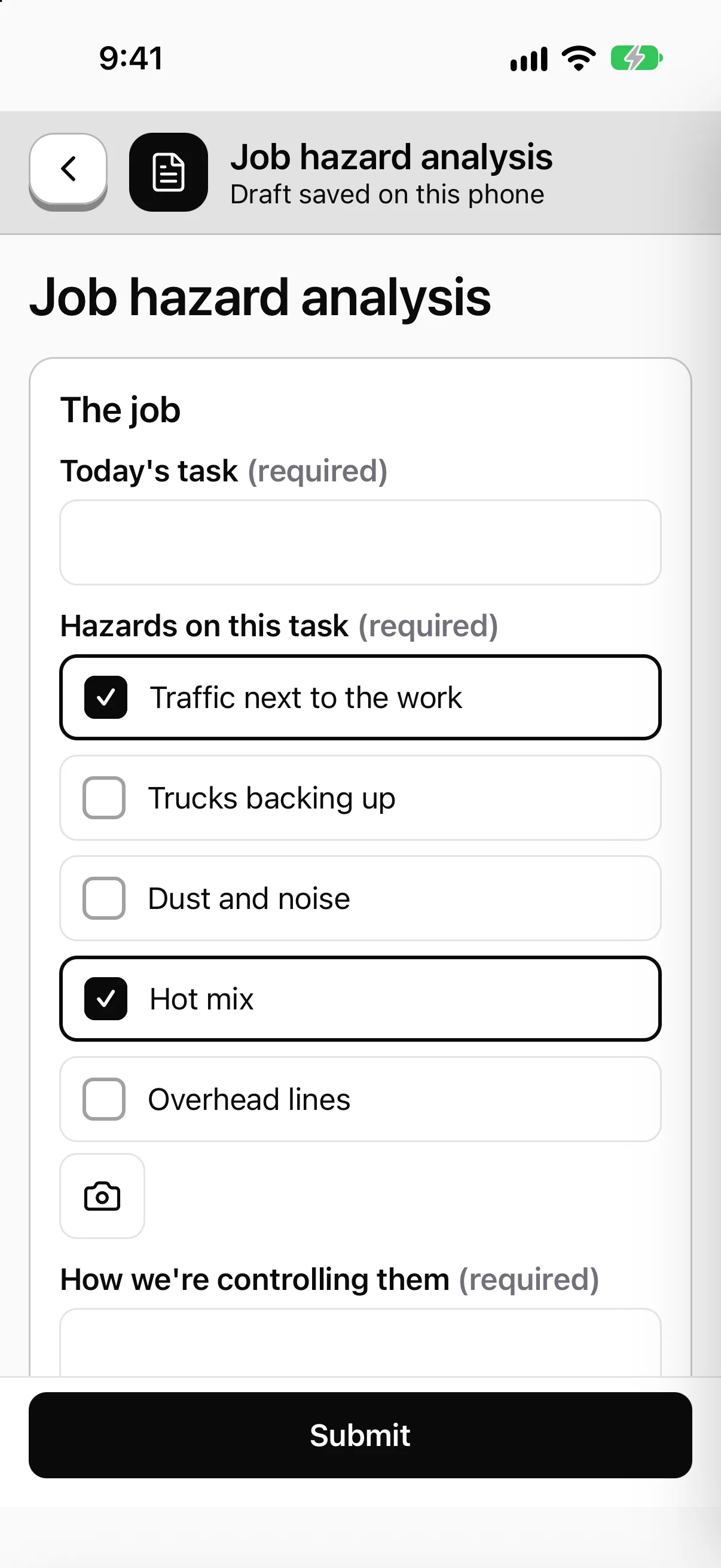
Describe the form. Then change it by chatting.
Type what you need in a sentence and the draft appears, with every question it added listed beside it. Nothing goes live until you publish, and each change can be undone.
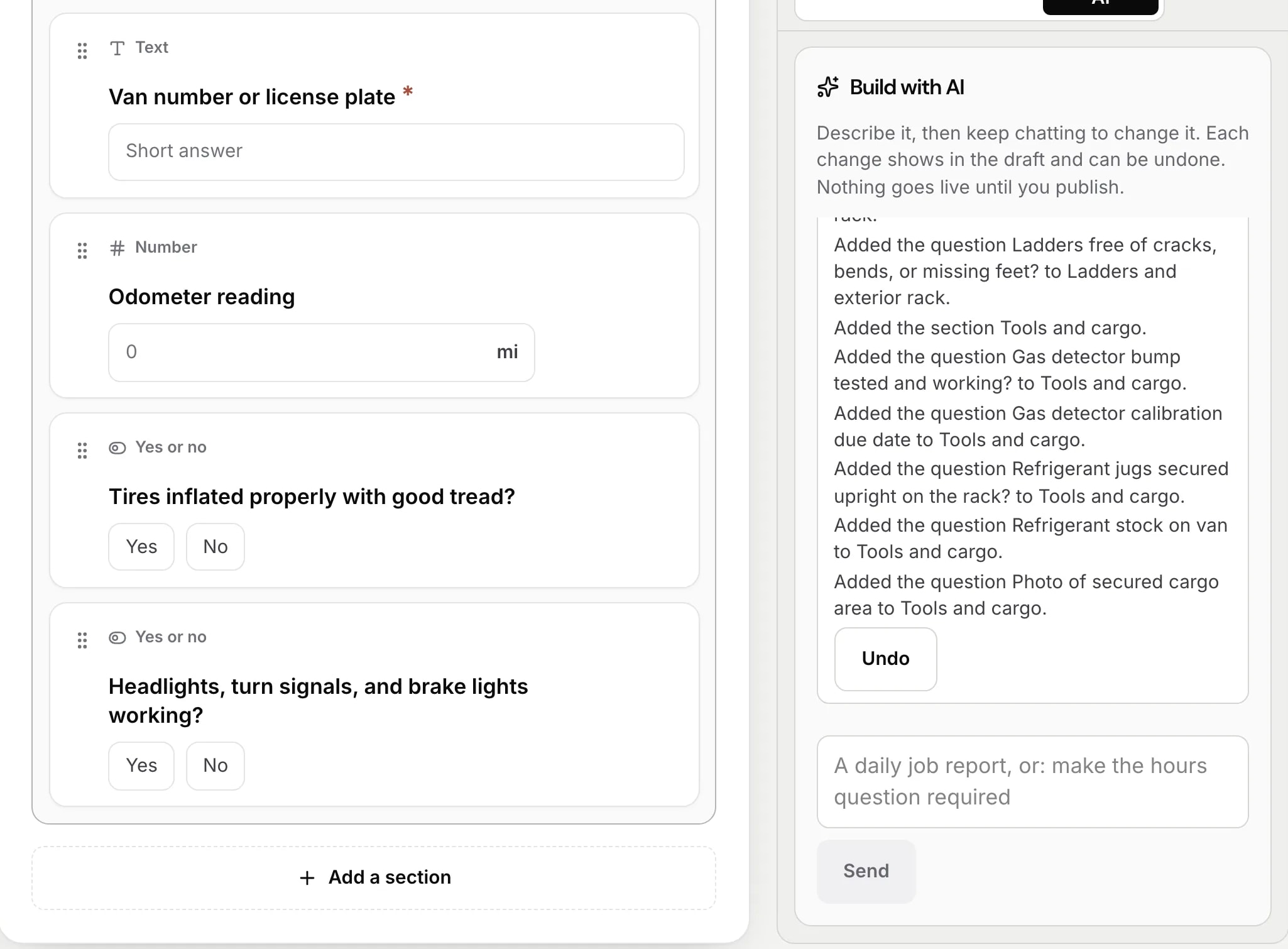
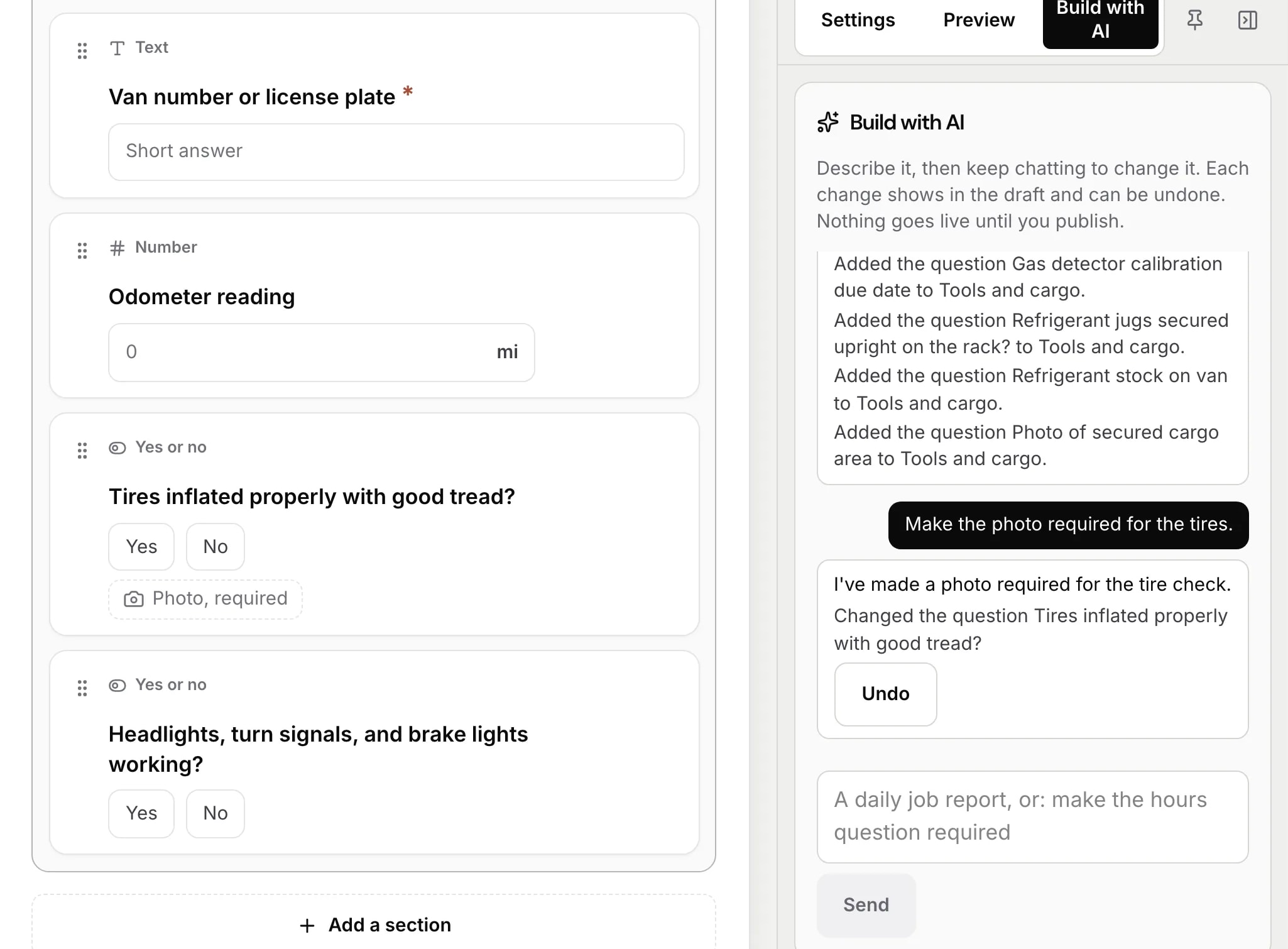
Ask for a change in plain words.
Say what to change, like making the photo required for the tires, and the question changes in the draft. The same chat builds trainings and workflows.
Every form crews sent, in one list.
Who filled it, where and when. Search by form, person or place. A form that was changed after it was sent says so, and keeps its first version.

A running log for every area.
What needs you comes first. Each shift signs off, and the next one picks up what's still open.

Sample data from our own demo company.
In the app
The form your crew already fills out, on a phone.
- 01Build it once. Fill it with no signal.
- 02Photos and signatures go on the form.
- 03Daily logs and shift handover use the same builder.
Daily crew log
End of shift
Sent.
Your lead sees it in the review queue.
Sample company and data, made up for the picture. Tap around.
Form builder
Fields for what crews actually write down.
Text, numbers, dates and times. Plus choices, checklists and ratings.
Photo, video and signatures. Plus location and barcode scans.
Your own pick lists. Hazard types, PPE, vendors, contractors. Kept in one place and reused.
Conditional questions. Answer Yes to "fall hazard?" and the fall protection questions appear.
Repeatable sections. One block per worker, per tool, per crew member on site.
Required fields. A form can't be submitted with a blank where one matters.
Versions and routing
The form changes. The old records don't.
01
Published versions
A submission keeps the version it was filled out on.
02
Site-specific versions
One form, with a variation for the yard that needs one.
03
Routing
A submission or a failed answer can notify people and open a corrective action.
No login
For people who aren't on your payroll.
QR forms. Post a code at the gate. Visitors, subcontractors and anyone spotting a hazard can fill out a form with no account.
Anonymous means anonymous. A form marked anonymous collects no identity and no device identifiers.
Logs and handover
What the foreman sees at shift change.
Step 1
Open the area
Pick it, or scan its sign. One screen shows what the last shift left, who found it, and whether it's fixed.
Step 2
Walk it and add
Tap Add for anything found. A photo, a line, a reading. Mark items fixed, leave them open, or hand one to someone.
Step 3
Sign
That's the record. Who, when, where, what was found and what was done.
Step 4
Incoming acknowledges
Open items roll forward. Any one becomes a task for the next shift in one tap.
Under the hood
A log is a running record for one unit.
- A unit. A plant area, a site, a crew, or an asset like a rig or a truck.
- Append-only. Two people writing at once never collide, offline or on.
- One view for the safety lead. Which areas were examined this shift and which weren't. What's still open after three shifts.
Which paper form do you want gone first?
We write the starter templates ourselves. Tell us which ones your crews use and we'll start there.
Book a walkthrough