
Industrial contractor safety software: Your crew works at someone else's plant. The proof has to follow them in.
PortalBase lets you name customers and customer sites as levels in your own structure. Every record, certification and inspection rolls up by customer, and every worker can show current certificates at the gate on a phone with no signal.
The real screens
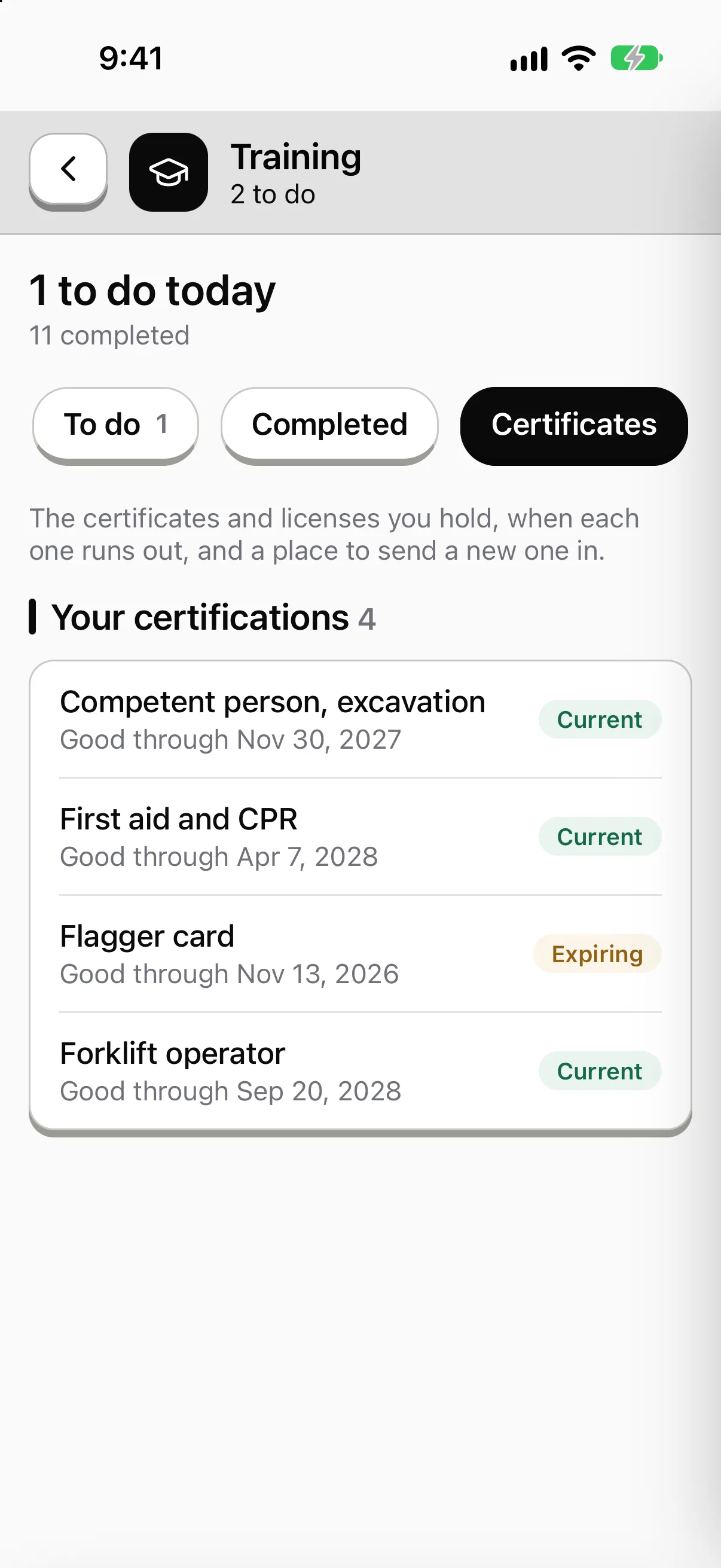
Hand the day's work to the right crew.
Give a task, form, inspection or training to a person, a crew or a role, with a due date. What's open, late or waiting for a sign-off sits on one screen.

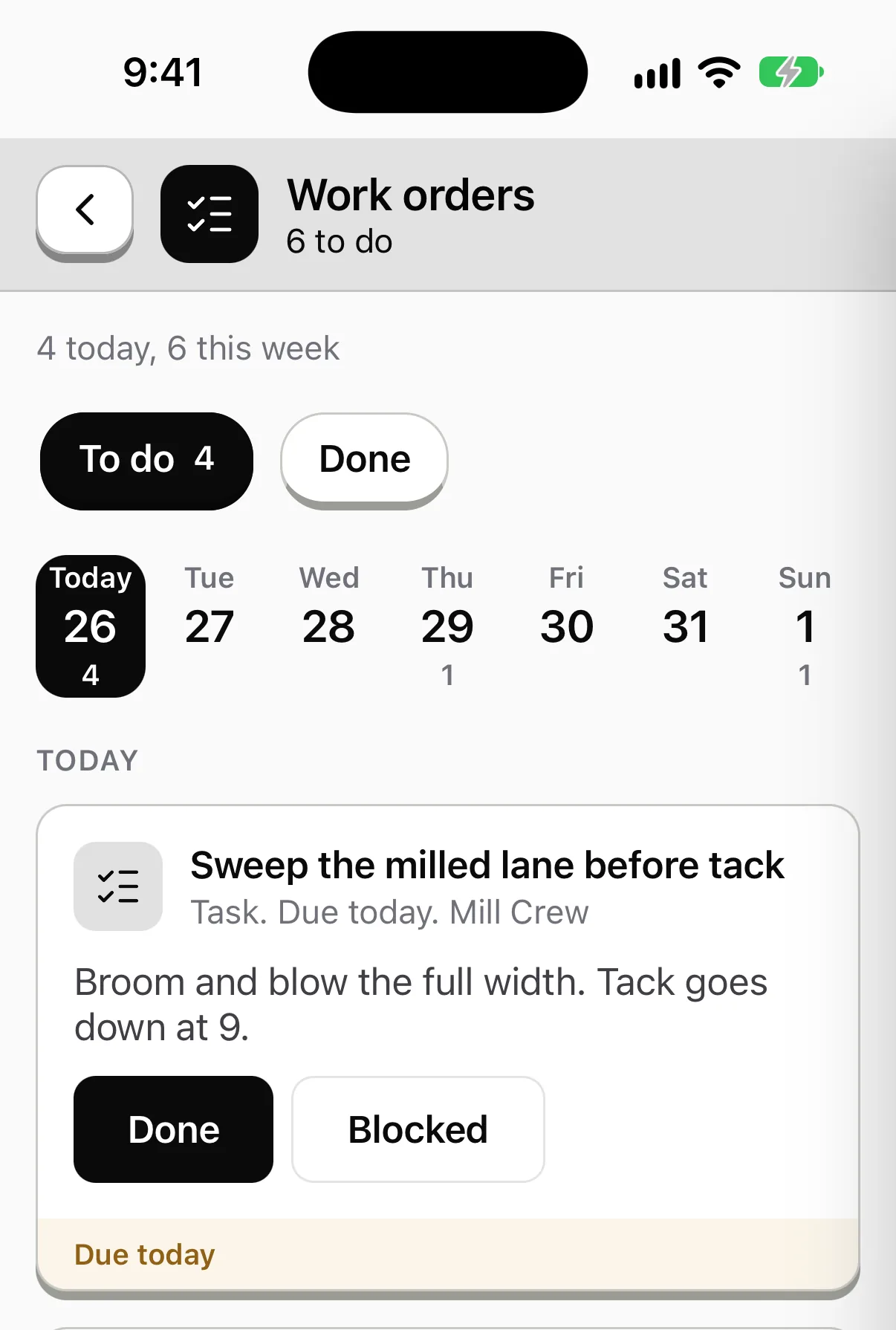
Who holds which ticket, and which one runs out next.
Operator cards, flagger cards, fall protection. See who holds each, who expires within 30 days and who has run out. Each person carries theirs on the phone.

A failed check becomes a job with an owner.
Mark a step Fail and a corrective action opens with who fixes it and by when. It stays open until the photos and the signature close it.

Sample data from our own demo company.
In the app
What a industrial services crew opens first.
Today’s tasks, the training that’s due, the checks and the forms. The tiles and the work are set up for Brindle Industrial Services, a made-up company. Yours would be set up for your crews.
Try it yourself Brindle Industrial Services

Rosa Quintero
Turnaround lead. Refinery unit 4
Sample company and data, made up for the picture. Tap around.
How it's organized
Built around your customers, not around a template
Your structure
Add customer and customer site as levels. Give each its own fields: the plant contact, the orientation requirements, the address. A mechanic can belong to three customer sites at once.
Your reports
Every level is a way to slice a dashboard. Show a customer how many inspections your crew completed at their plant, and open each record behind the number.
What gets checked
Work that has to be shown to the plant owner
Confined space entry. Attendant and entrant training on the record, with a skill check where someone watches the steps on video. The paperwork on the day is a form with required fields and signatures.
Read more →Hot work and fire watch. The fire watch fills out the log on the phone. Each entry has a time, a person and a photo.
Read more →Scaffold and rigging. Scan the QR code, run the template, sign. Failed steps open a repair item with an owner.
Read more →Tools and equipment. Every grinder, rig and pump is an asset with its history. A failed critical step can lock it out until it's repaired and released.
Read more →A shutdown
One-off routine, many crews, one status board
Step 1
Build the routine.
List what each crew completes: orientation course, tool checks, daily tailgate, end-of-shift log.
Step 2
Issue it.
Send it to every crew, scoped to the customer site. New hires get theirs on day one.
Step 3
Run it.
Supervisors see who's done each piece and what's blocked, with the reason and a photo.
Step 4
Hand over the records.
Export what the customer asks for as PDF or CSV. Your records leave with you too, in open formats.
At the gate
Inside the fence
01
Certificates on the phone. A worker opens their own certificates at the gate. It works offline, so a metal building or a remote plant doesn't stop it.
02
Crew without a company email. Temp labor and seasonal hires sign in by employee ID and PIN, or a QR badge on a shared tablet.
03
Subs of your own. A sub's crew fills out a QR form with no login. Mark it anonymous only when you truly don't need a name.
Straight answers
- Can I keep one customer's records separate from another's?
- Yes. Customers are levels in your structure, and permissions follow the tree. Scoping is by role, node and department, enforced on the server.
- Does a course replace the in-person confined space training?
- No. It records what was taught and the skill check results. Where hands-on training is required, it still happens in person.
- Does PortalBase handle permits to work?
- Permit-to-work isn't part of PortalBase today. Forms and logs cover the paperwork around it.
Free tools and talks for this field
Free tool
Forklift pre-use checklist
A daily check for forklifts and powered industrial trucks
Free tool
Aerial lift inspection checklist
A pre-use check for boom lifts, scissor lifts and bucket trucks
Free tool
Scaffold inspection checklist
A check for the foundation, frame, platform and access
Free tool
LTIR calculator
Lost time injury rate and severity rate, with the formula shown
Toolbox talk
Slips, trips and falls
Slips, trips and falls toolbox talk. Check the path, clear what's in it, and report wet spots, loose cords and bad footing.
Toolbox talk
Ladder safety
Ladder safety toolbox talk for crews. Pick the right ladder, inspect it, set it up on solid ground and keep three points of contact every time you climb.
Guide
Frontline platform buyer's guide
Frontline platform buyer's guide: what to ask vendors about offline use, sign-in, inspections, training, security and cost, with red flags to watch.
Bring a customer's requirements.
Show us what one plant asks of your crew at the gate. We'll map it to a routine.
Book a walkthrough